



Skip to content
View in the app

A better way to browse. Learn more.

Parapsihopatologija™

A full-screen app on your home screen with push notifications, badges and more.

To install this app on iOS and iPadOS
  1. Tap the Share icon in Safari
  2. Scroll the menu and tap Add to Home Screen.
  3. Tap Add in the top-right corner.
To install this app on Android
  1. Tap the 3-dot menu (⋮) in the top-right corner of the browser.
  2. Tap Add to Home screen or Install app.
  3. Confirm by tapping Install.

KKPFC u epizodi 23/24 “It’s coming home” part two

Featured Replies

2 minutes ago, Midgeta said:


Hele nemoj sad da me nerviras

Kasni mi strim 🤣

  • Replies 17.7k
  • Views 1.1m
  • Created
  • Last Reply

Top Posters In This Topic

Most Popular Posts

Posted Images

Just now, Ratamahatta said:

Ide ovo u tri picke lepe materine


Ipak gubimo ovo. Šteta.


Nejpir da nije dao drugo bacanje, žabari bi imali skok i koš  1+0+2.

Iskupi se Ledej za one promašaje. :)

evo ga Zek, šansa za 2+1

Ma idi bre u kurac 

14 minutes ago, Midgeta said:

Bravo Šabaze

🤭🤭🤭

marš bre u pičku materinu

Just now, Hele said:

🤭🤭🤭


Speak sam too soon realno 🤣🤣🤣

Ubi nas nejpir ko granom

Mirota uplatio vise u manastir 

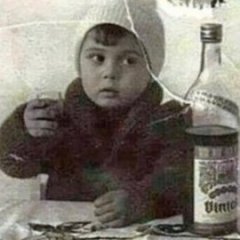
image.png.e53277762718a6d73563758183bef153.png


Guest
This topic is now closed to further replies.
Background Picker
Customize Layout

Account

Navigation

Configure browser push notifications

Chrome (Android)
  1. Tap the lock icon next to the address bar.
  2. Tap Permissions → Notifications.
  3. Adjust your preference.
Chrome (Desktop)
  1. Click the padlock icon in the address bar.
  2. Select Site settings.
  3. Find Notifications and adjust your preference.
