Skip to content
View in the app

A better way to browse. Learn more.

Parapsihopatologija™

A full-screen app on your home screen with push notifications, badges and more.

To install this app on iOS and iPadOS
  1. Tap the Share icon in Safari
  2. Scroll the menu and tap Add to Home Screen.
  3. Tap Add in the top-right corner.
To install this app on Android
  1. Tap the 3-dot menu (⋮) in the top-right corner of the browser.
  2. Tap Add to Home screen or Install app.
  3. Confirm by tapping Install.

Retronaut

Featured Replies


Da ne kačim sve, pogledajte ceo koncert (u plejlisti...)

  • Replies 67
  • Views 16k
  • Created
  • Last Reply

Top Posters In This Topic

923542_604882686246857_2104076801_n.jpg?


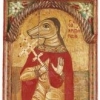
Partizanska predstava, Slavonija, 1944. godine

prava Zivotinjska farma! :o

Hm...nisam o tome razmišljao. Meni delovalo da igraju predstavu "Nj. K. V. i tri sina".

Meni liči na Pakt s vukovima ili na neki southern gothic show.

ukratko, istinska avangarda u pozoristu :)

  • 7 months later...
  • 1 year later...


Auh koliko se stvari nisu promenile...


Iste priče, iste dileme, ništa se ne radi politički, osim što su uništeni sindikati.

Sve po starom.


"Da li možemo da živimo na grbači 60.000 elitnih softverskih inženjera?"

"Nove mašine omogućavaju stvaranje bogatstva. Kako deliti to bogatstvo? Da li ćemo se podeliti na jako siromašne i jako bogate?"


Create an account or sign in to comment

Background Picker
Customize Layout

Account

Navigation

Configure browser push notifications

Chrome (Android)
  1. Tap the lock icon next to the address bar.
  2. Tap Permissions → Notifications.
  3. Adjust your preference.
Chrome (Desktop)
  1. Click the padlock icon in the address bar.
  2. Select Site settings.
  3. Find Notifications and adjust your preference.